😊
How to Add Emojis to Photos: Complete Guide
Add expressive emojis to your photos. Perfect for social media and creative projects.
Learn how to add emojis to your photos with our intuitive emoji tool. Perfect for social media, memes, and creative photo editing.
Our users have been asking for emoji functionality for months. We received countless emails and comments from photographers, social media managers, and casual users who wanted to express themselves better through their photos. After listening to this feedback, our development team worked tirelessly to implement a comprehensive emoji system that would be both powerful and easy to use. Today, we're proud to deliver exactly what our community requested - a fast, intuitive way to add emojis to any photo directly in your browser.
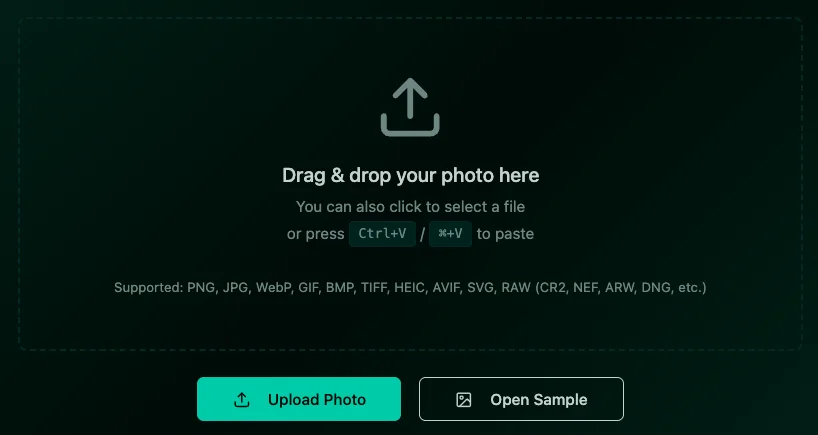
Start by uploading the photo you want to enhance with emojis. Click the Upload Photo button or simply drag and drop your image into the editor. Our system supports all major image formats including JPG, PNG, WebP, and GIF. The upload process is instant and secure - everything happens right in your browser.
Once your photo is loaded, navigate to the Stickers & Emojis tab in the left toolbar. You'll see a comprehensive emoji grid organized by categories. The emoji picker includes thousands of options, from smileys and animals to food, activities, and symbols. Each emoji is rendered in high quality and can be scaled without losing clarity.
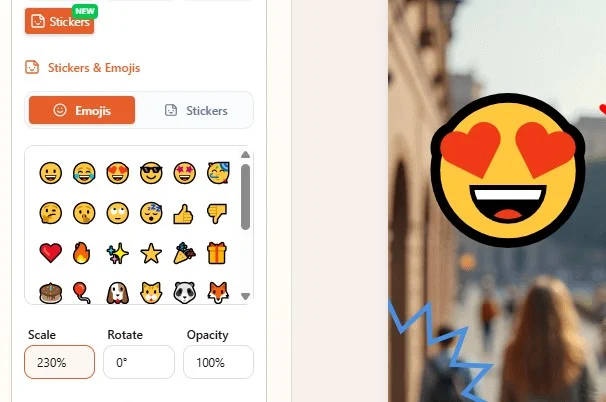
Browse through our extensive emoji collection using the category tabs at the top of the emoji panel. You can also use the search function to quickly find specific emojis. Simply click on any emoji to add it to your photo. The emoji will appear in the center of your image, ready for positioning and customization.
Click and drag the emoji to move it anywhere on your photo. Use the corner handles to resize the emoji while maintaining its proportions. You can make emojis as small as a subtle accent or as large as a focal point. The smart snapping feature helps align emojis perfectly with other elements in your composition.
Our emoji tool offers advanced customization options. Adjust the opacity to create subtle effects, rotate emojis for dynamic compositions, and even add shadows for depth. You can layer multiple emojis to create unique combinations. The real-time preview lets you see changes instantly as you make adjustments.
When you're happy with your emoji-enhanced photo, click the Download button to save your work. The image will be exported in high quality PNG format, preserving all the emoji details and transparency. Your creation is ready to share on social media, send to friends, or use in your projects.
Add expressive emojis to your photos. Perfect for social media and creative projects.
Enhance photos with our comprehensive sticker library. Stars, frames, bubbles, and more.
Add stylish text, captions, and watermarks to your photos easily.